

Following continuous software engineering practices, there has been an increasing interest in rapid deployment of machine learning (ML) features, called MLOps.
In this use case, we will build an ML lifecycle using tools like DVC, MLflow, Flask, Jenkins and more. Final code is available on Github.
Note: This type of use can be vast and takes a lot of time and resources, we will limit our features, but it will teach you how to build an ML lifecycle right from scratch.
Architecture

In this use case, we are using DVC for data versioning and data pipeline, MLflow for experiment tracking, Flask for model serving and Jenkins for CI/CD pipeline.
We are going to deploy our model on a managed Kubernetes service by Azure, but in theory, you could also use AWS, GCP or any Kubernetes service provider.
All these tools are used here to demonstrate the end-to-end ML lifecycle. You could also try other alternatives to build an ML pipeline based on your requirements.
Project Structure
To start with the project, we will use a template.py, which will create an initial project structure for us. Create the template.py and execute the code below to create the project structure.
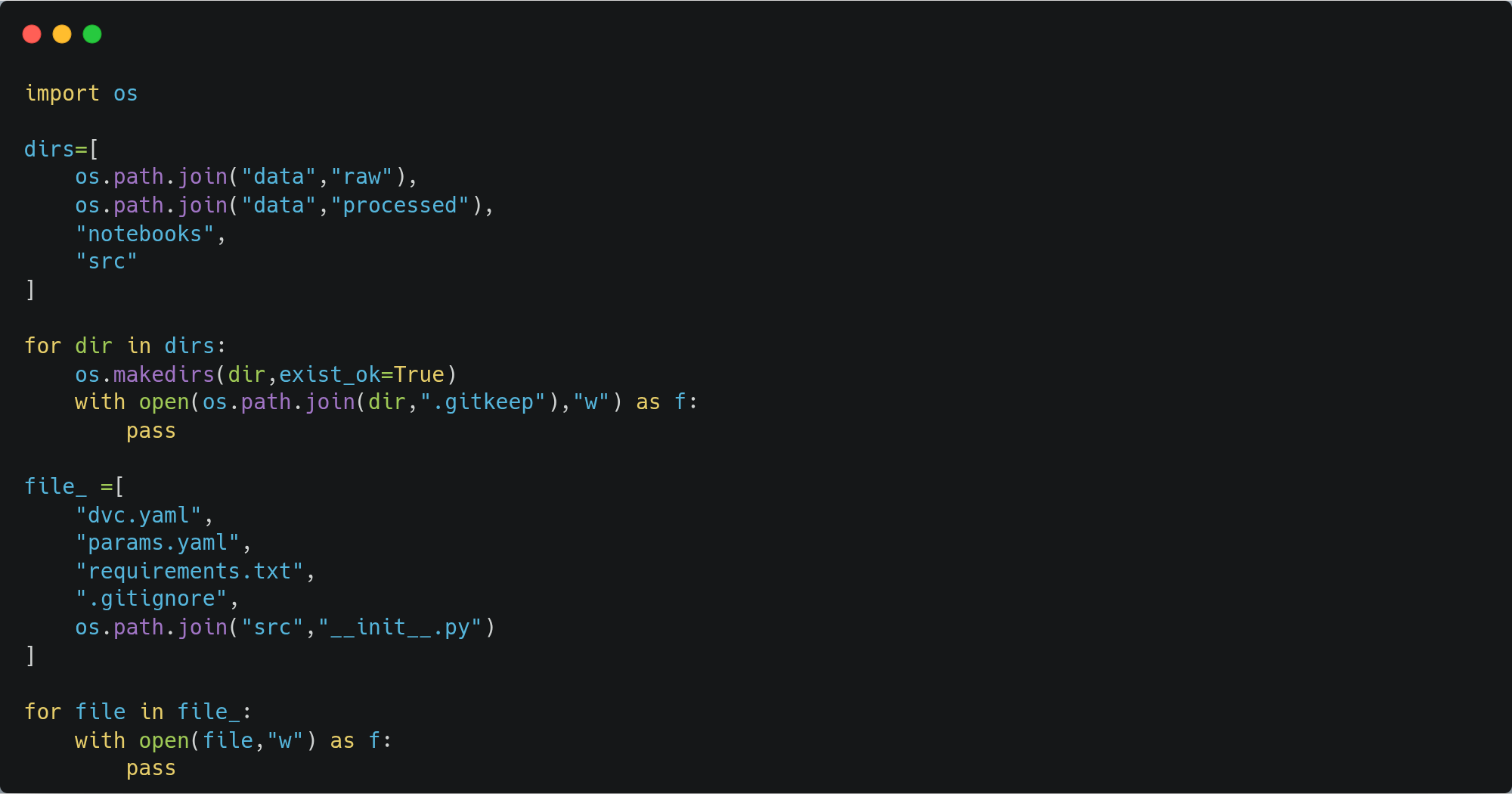
This will create a project structure as follows:

Data versioning & pipeline
In this demonstration, we are going to load data from a local repository, but in production, data can be loaded from any storage like S3, Azure Blob storage, etc. We can also track versions of the dataset using DVC, in an S3 bucket.
Let’s add our dataset to DVC for tracking with the following block of code.
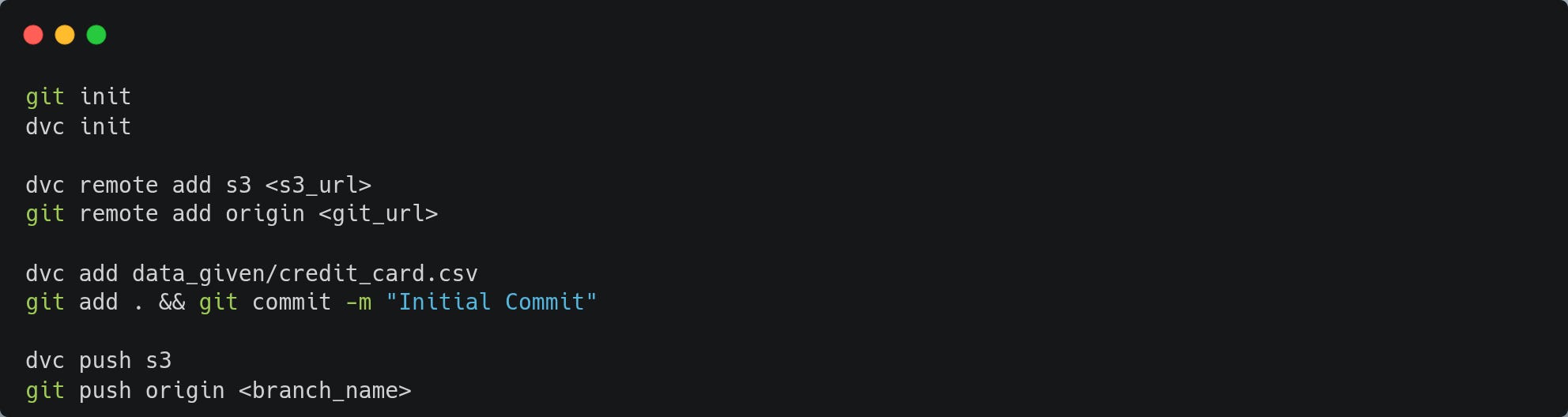
Now, we will create a DVC pipeline which will trigger activities like data collection, loading, train-test split, model training and evaluation. After this, it will log the model with the best metrics to production.
The whole point of creating this dvc.yaml file is the ability to easily reproduce a pipeline, and it can be executed with the command ‘dvc repro’
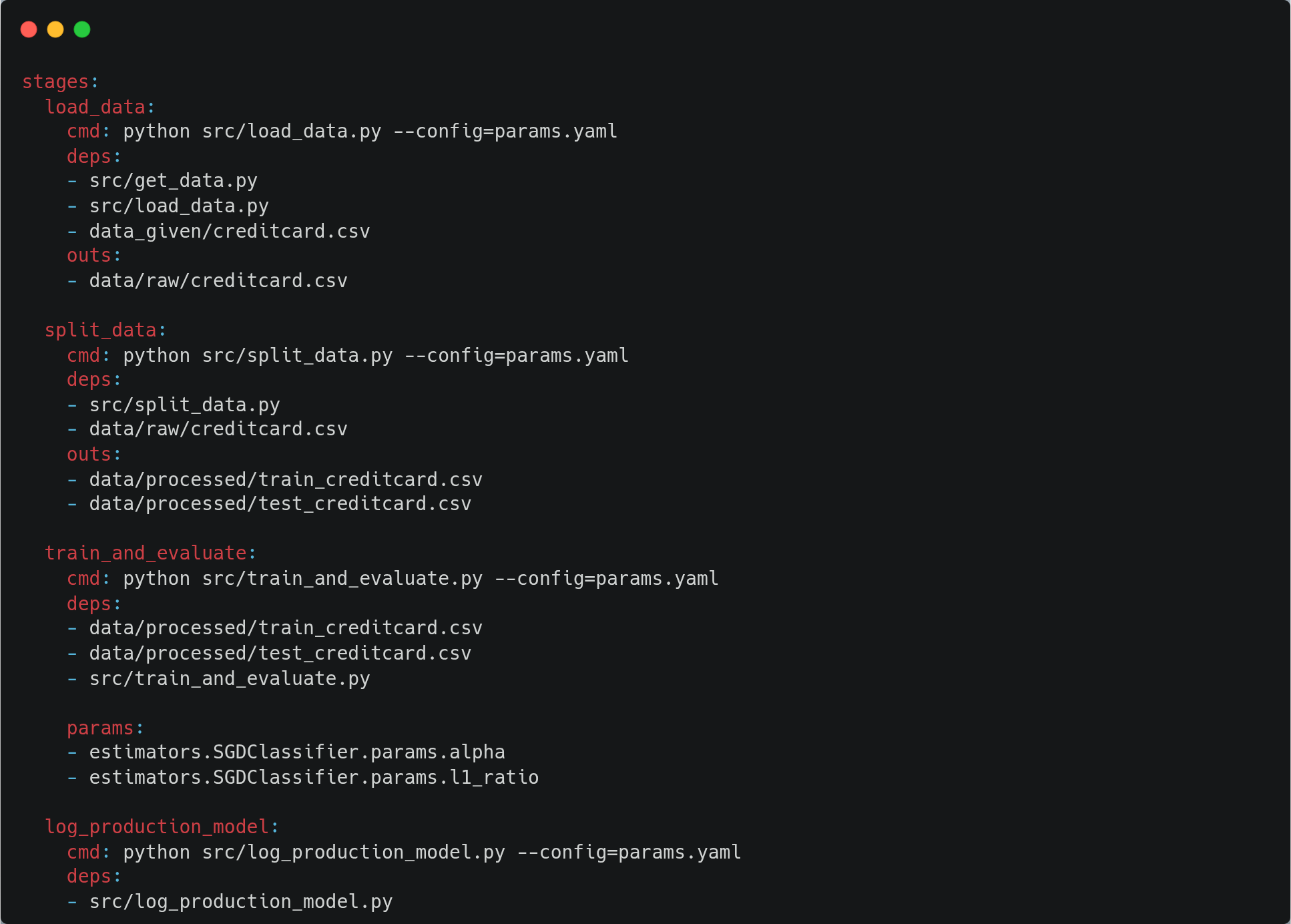
The params.yaml used to configure metrics and hyperparameters, which will be passed as input to the dvc pipeline.

Image by @overflow_meme
Let’s build our model
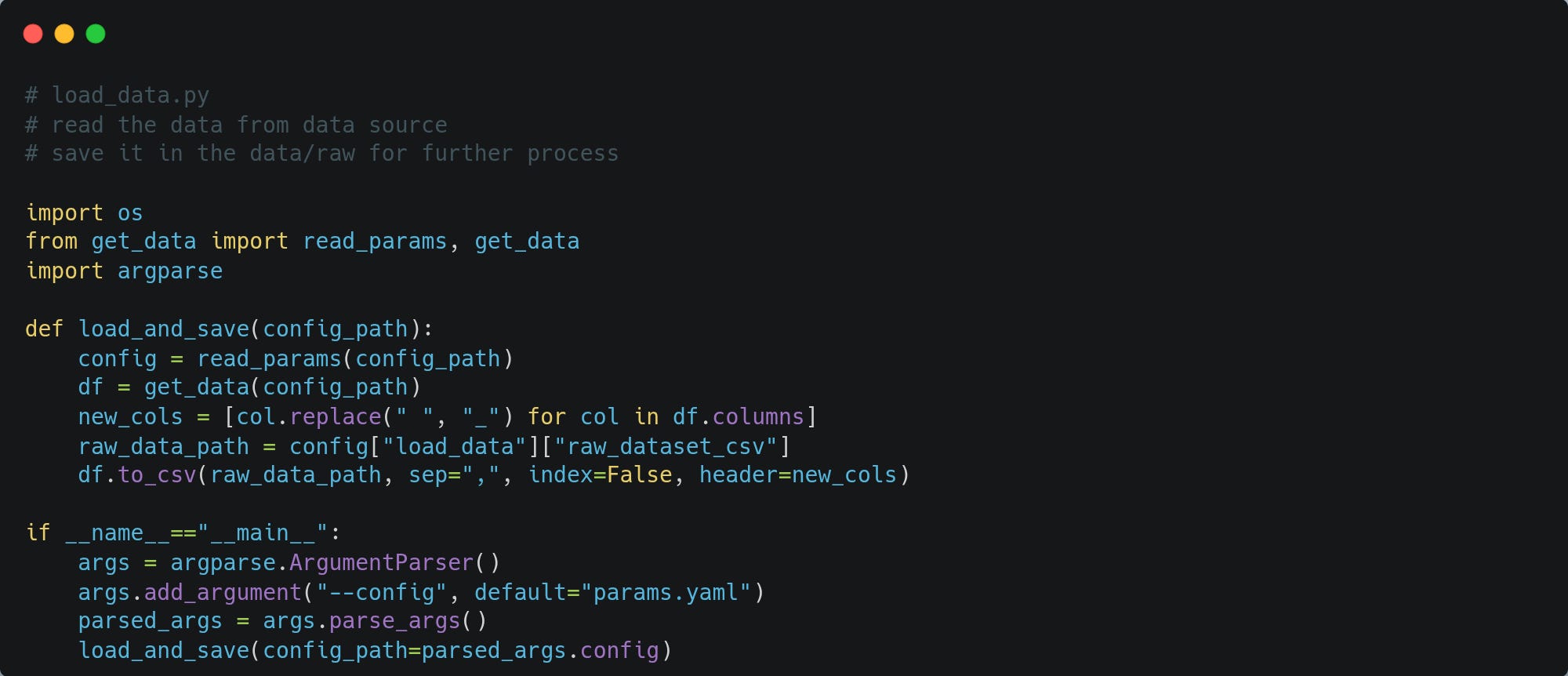
First, we will get our data from storage and store it in the data/raw directory for further processing using the script ‘get_data.py’ and ‘load_data.py’
Let's create load_data.py to load data from the data/raw directory into a dataframe to prepare it for training.
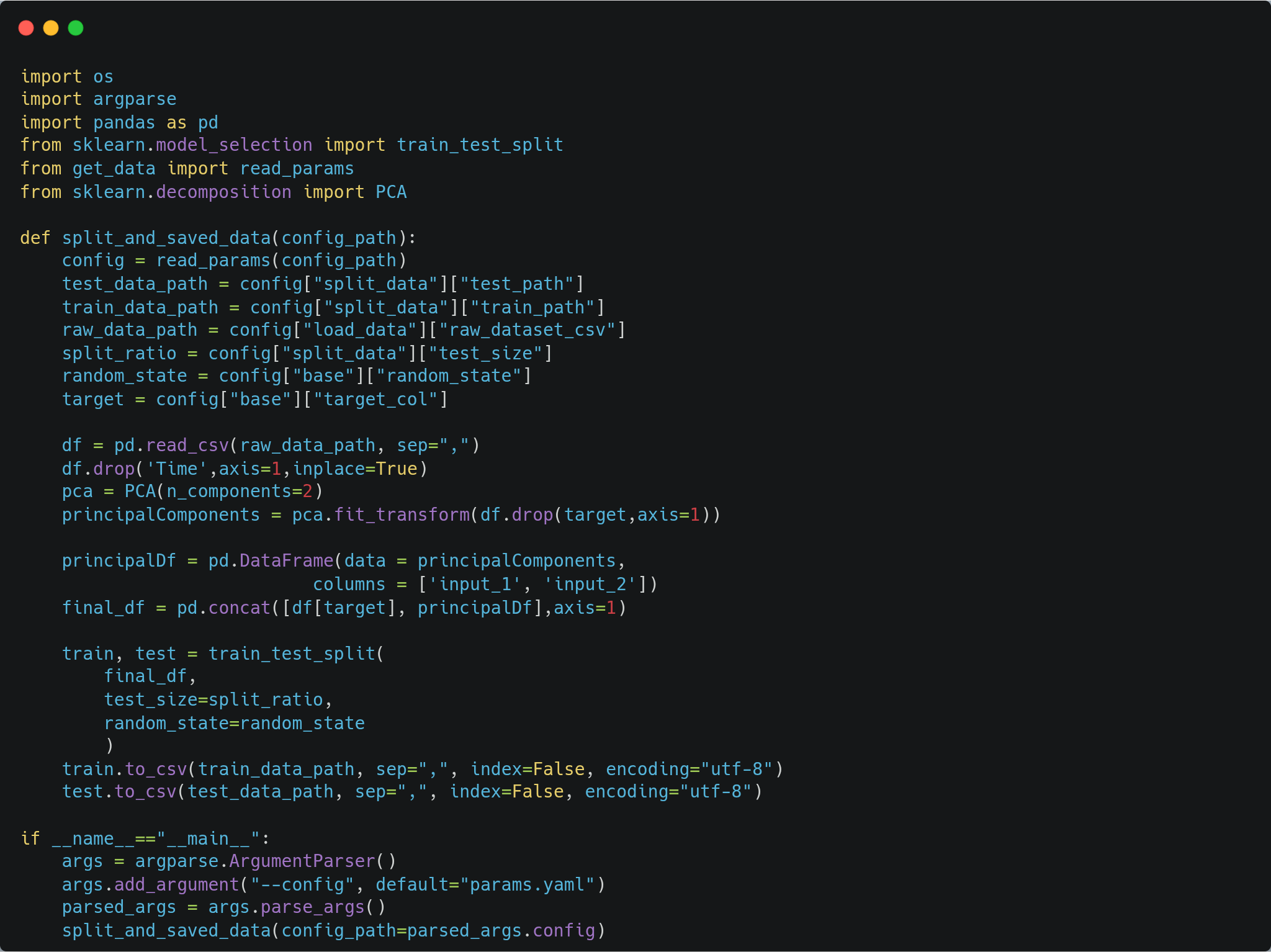
When the data is loaded, the split_data.py script will be used to split the data for model training and evaluation.
Let’s build our model
First, we will get our data from storage and store it in data/raw directory for further processing using the script ‘get_data.py’ and ‘load_data.py’
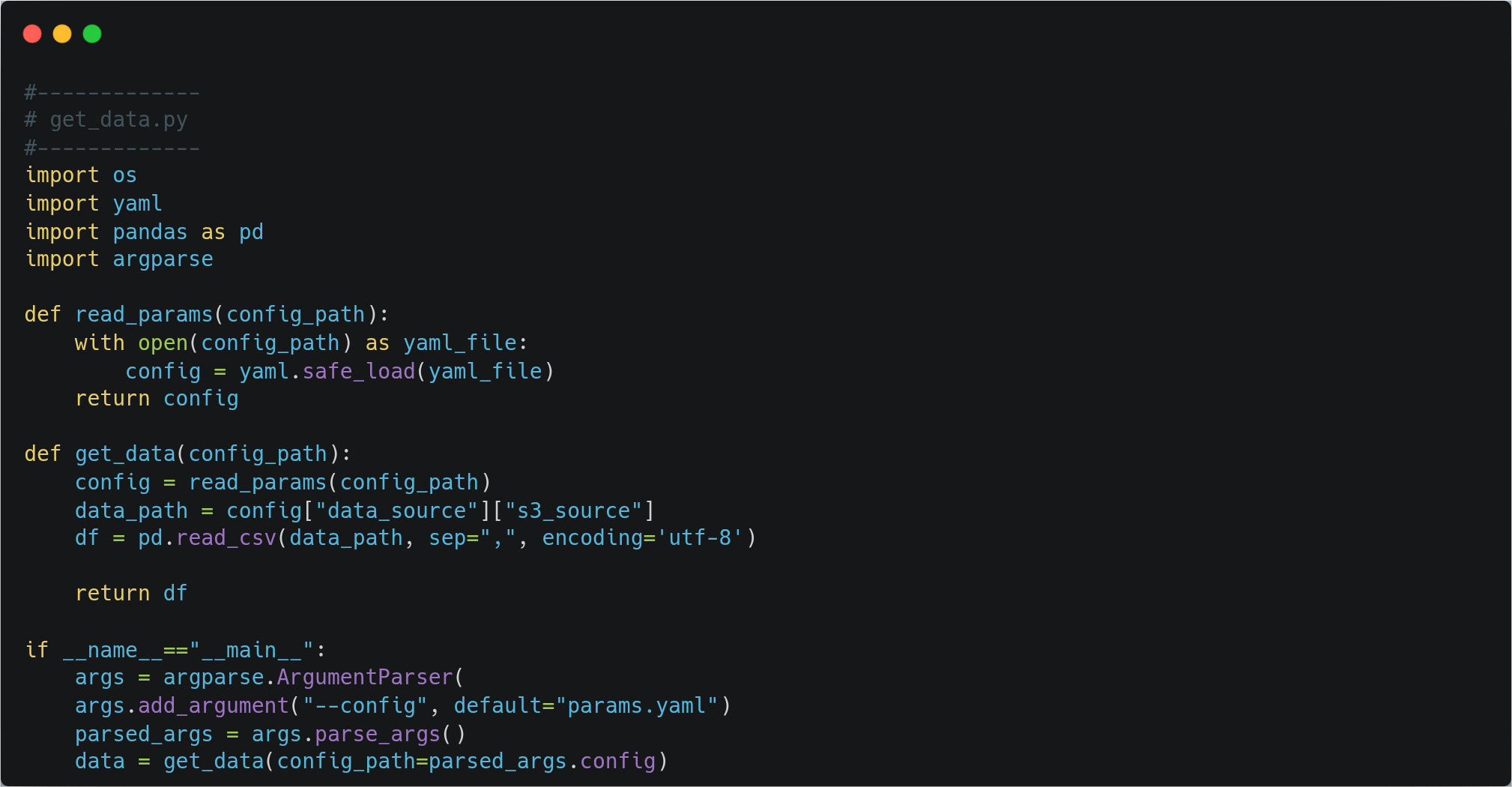
Let's create load_data.py to load data from data/raw directory into a dataframe to prepare it for training.
When the data is loaded, the split_data.py script will be used to split the data for model training and evaluation.
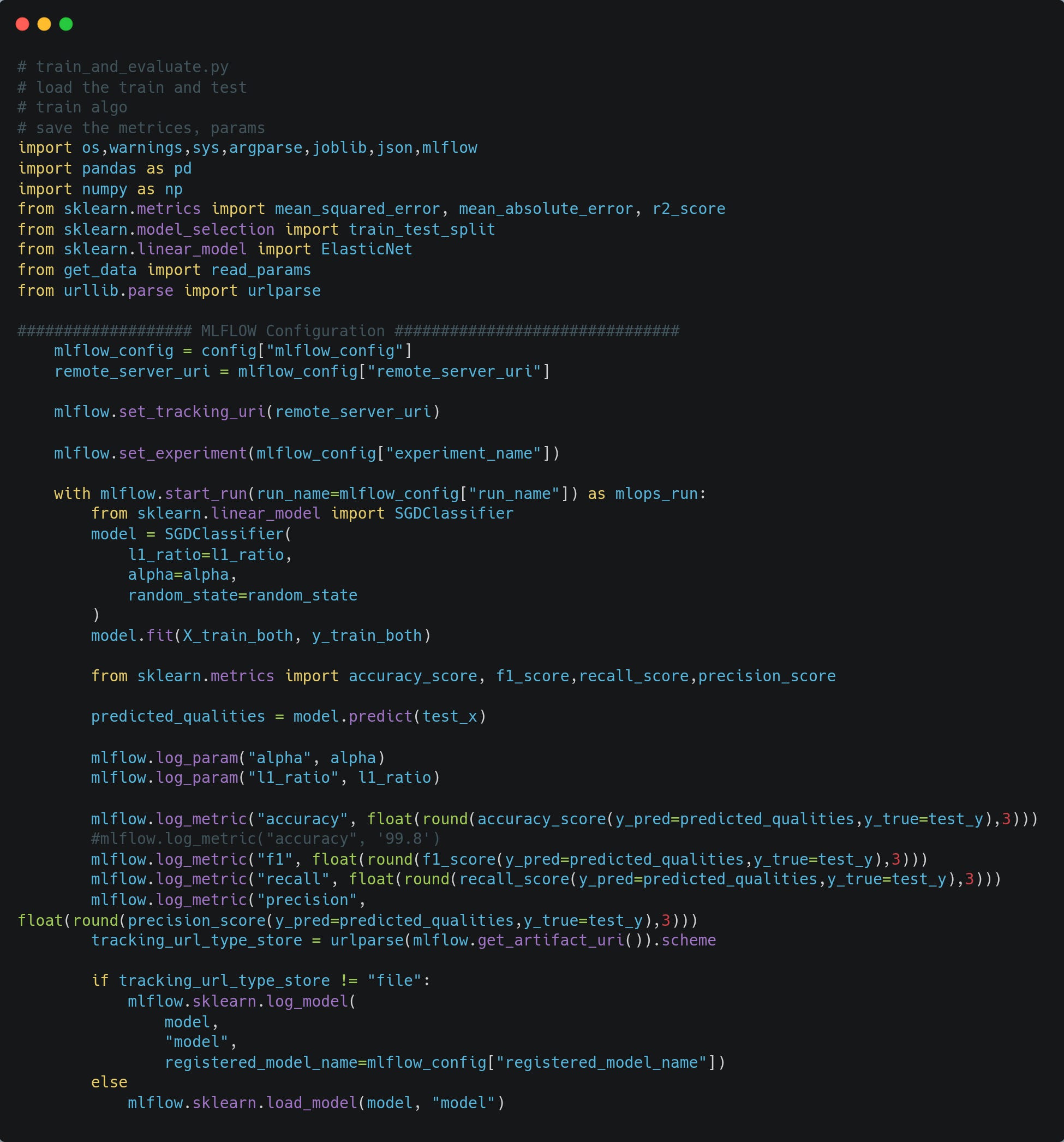
Experiment Tracking
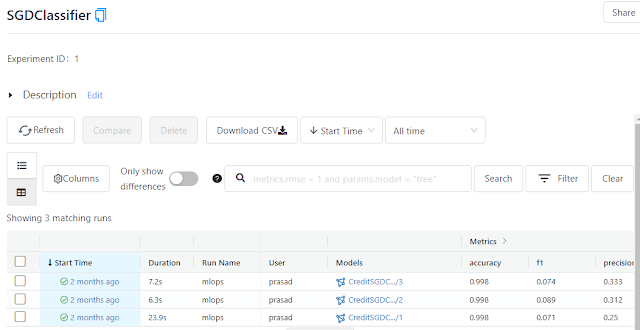
The training code will use MLflow to track experiments and for model versioning. The model artefact will be stored in the artefact directory, but in production, the S3 bucket can be used to store model artefacts, and metadata for experiments can be stored in any SQL database. For our case, we are storing it in a SQLite database.
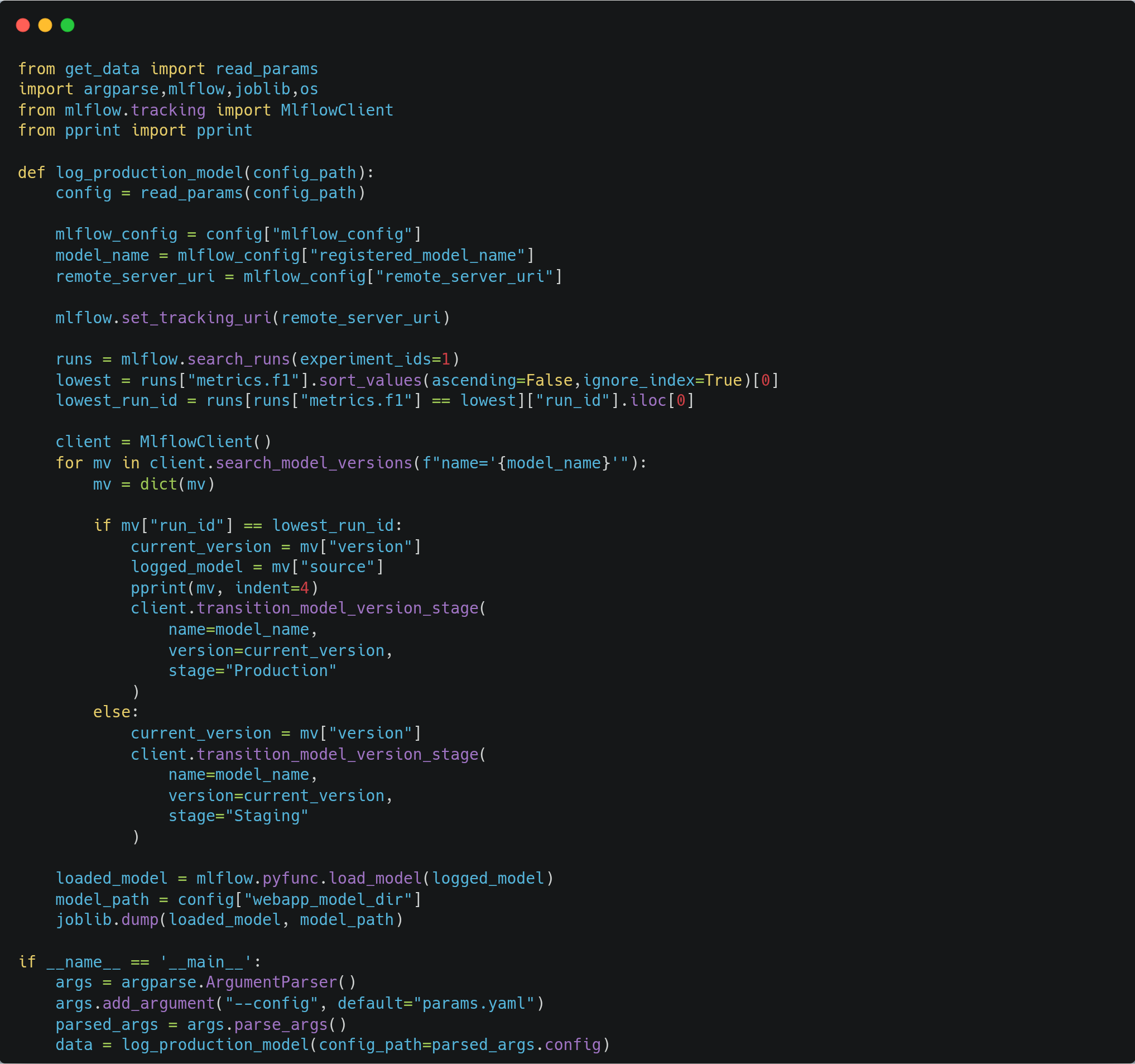
The model with the best metrics will be logged as production, and it will be moved to production_service/model directory for serving.

Model Serving
For model serving, we will build a Flask application which will provide an API endpoint for predictions. This application will run on AKS, and we will expose it to the internet using the Load Balancer service.
In our flask application, it will receive inputs in JSON format and will send back the response in JSON with output 0 or 1.
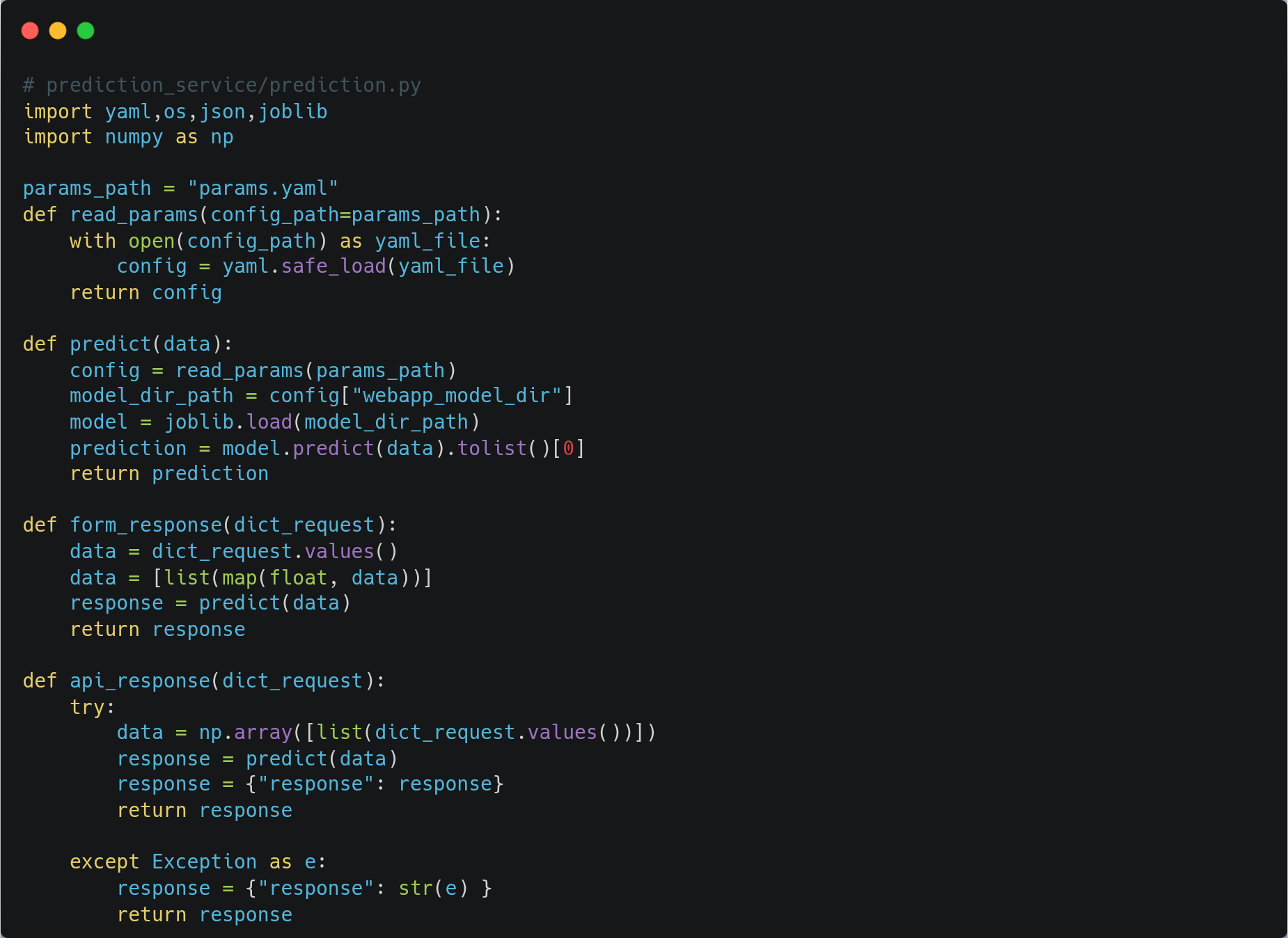
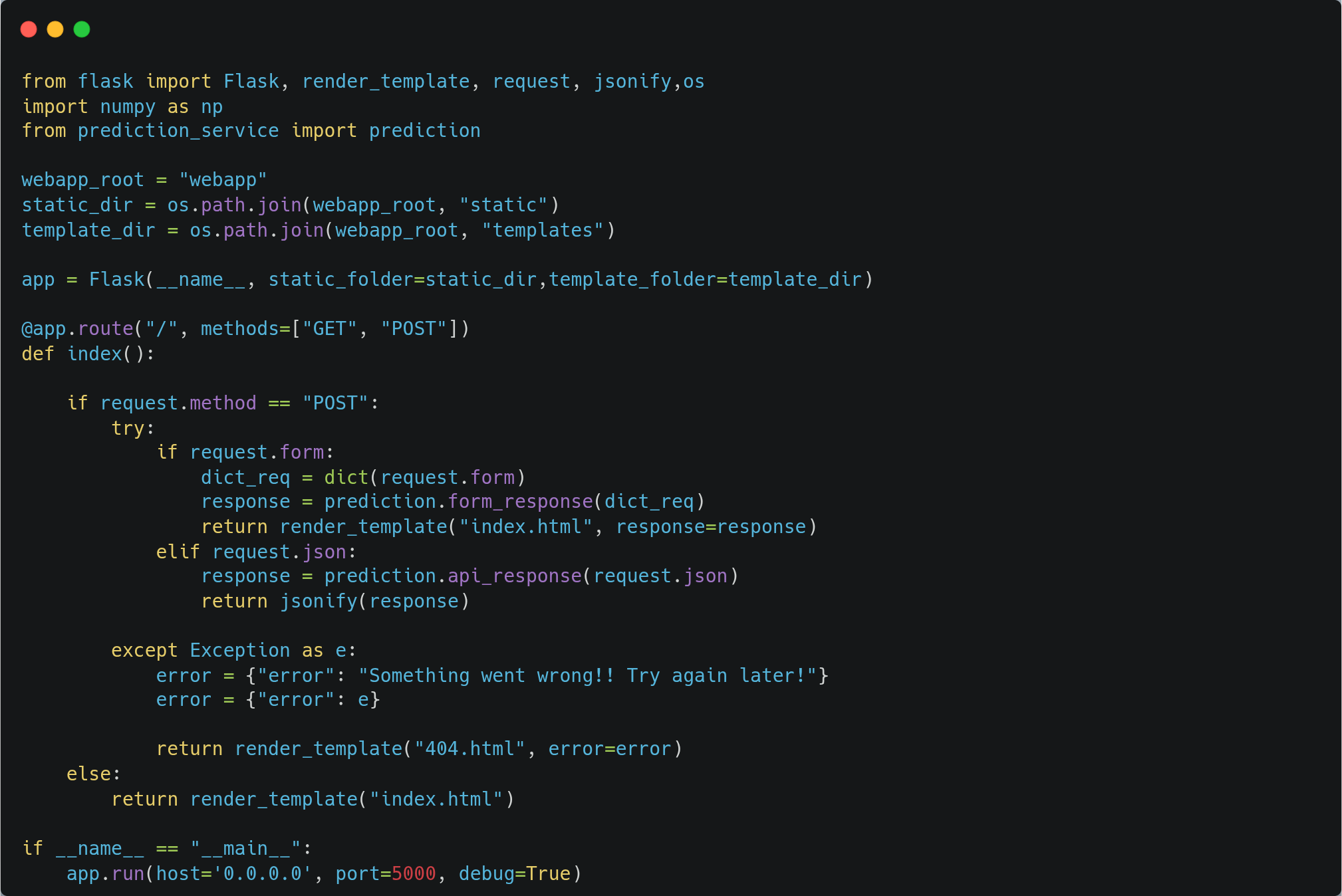
Use app.py to create the Flask endpoint, which will launch our Flask application.
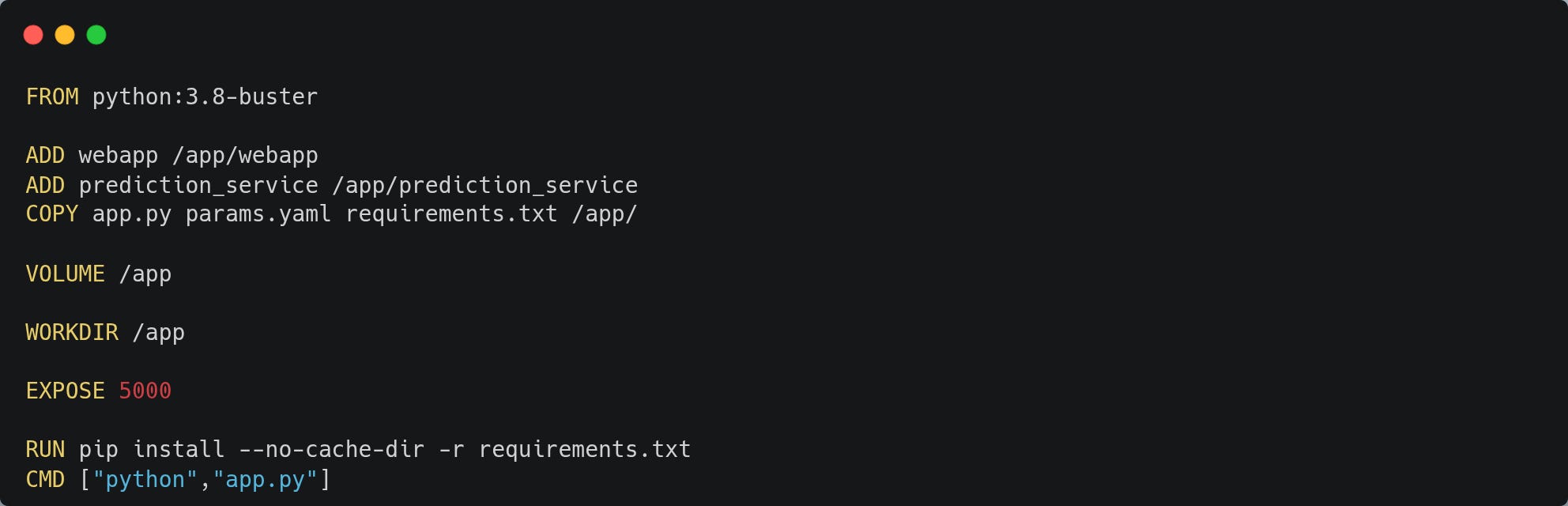
Package model into a Docker container
We will build the package of our model using Docker and push it to the container registry on Docker Hub. After this, we will use docker-compose.yml to run our Docker container.

Deploying our model on Kubernetes
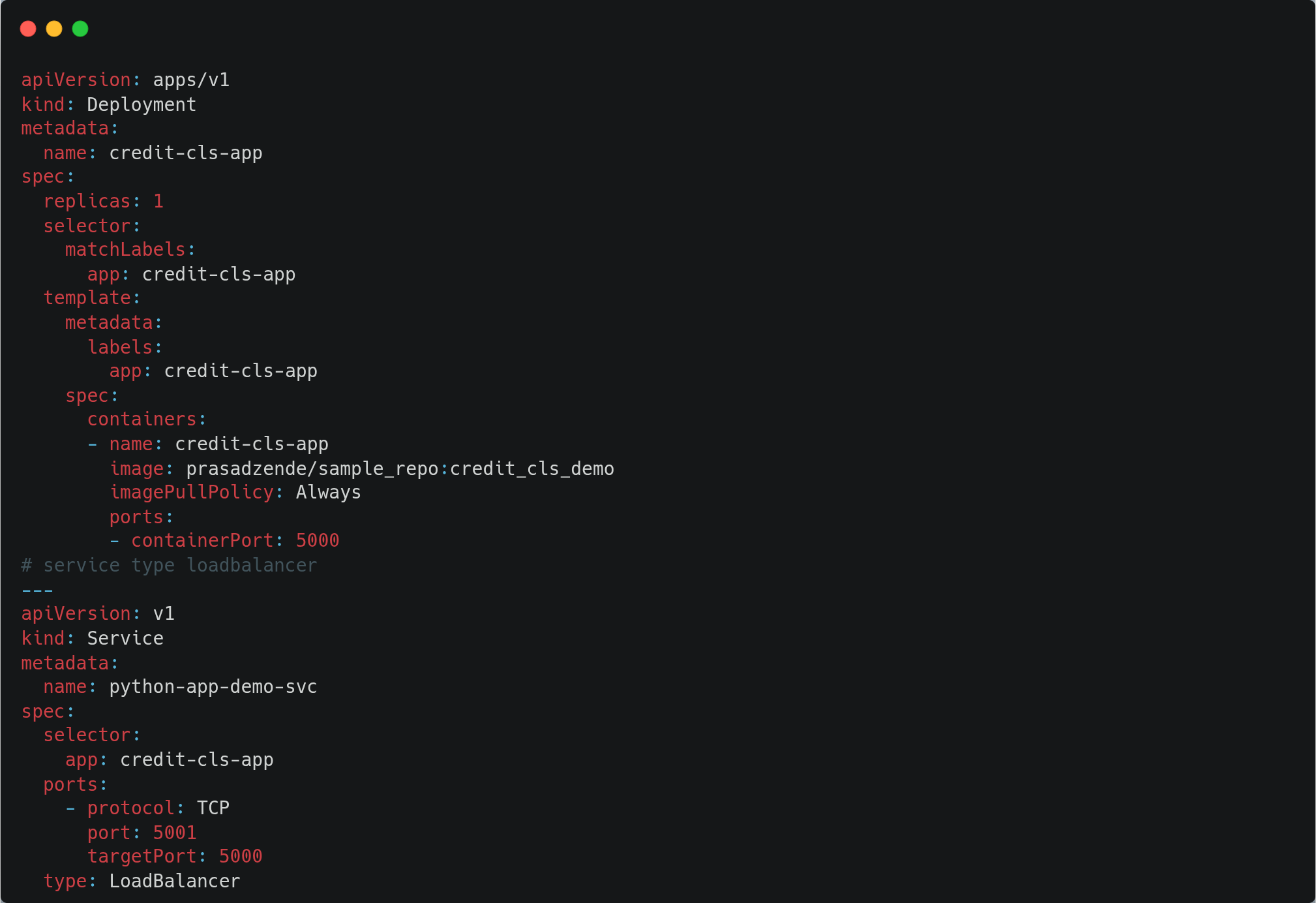
We are deploying our model on AKS. For this, we are using k8s-deployment.yml, which will create a deployment on K8S and a loadbalancer service to expose our application to the internet with port 5001.
CI/CD Pipeline
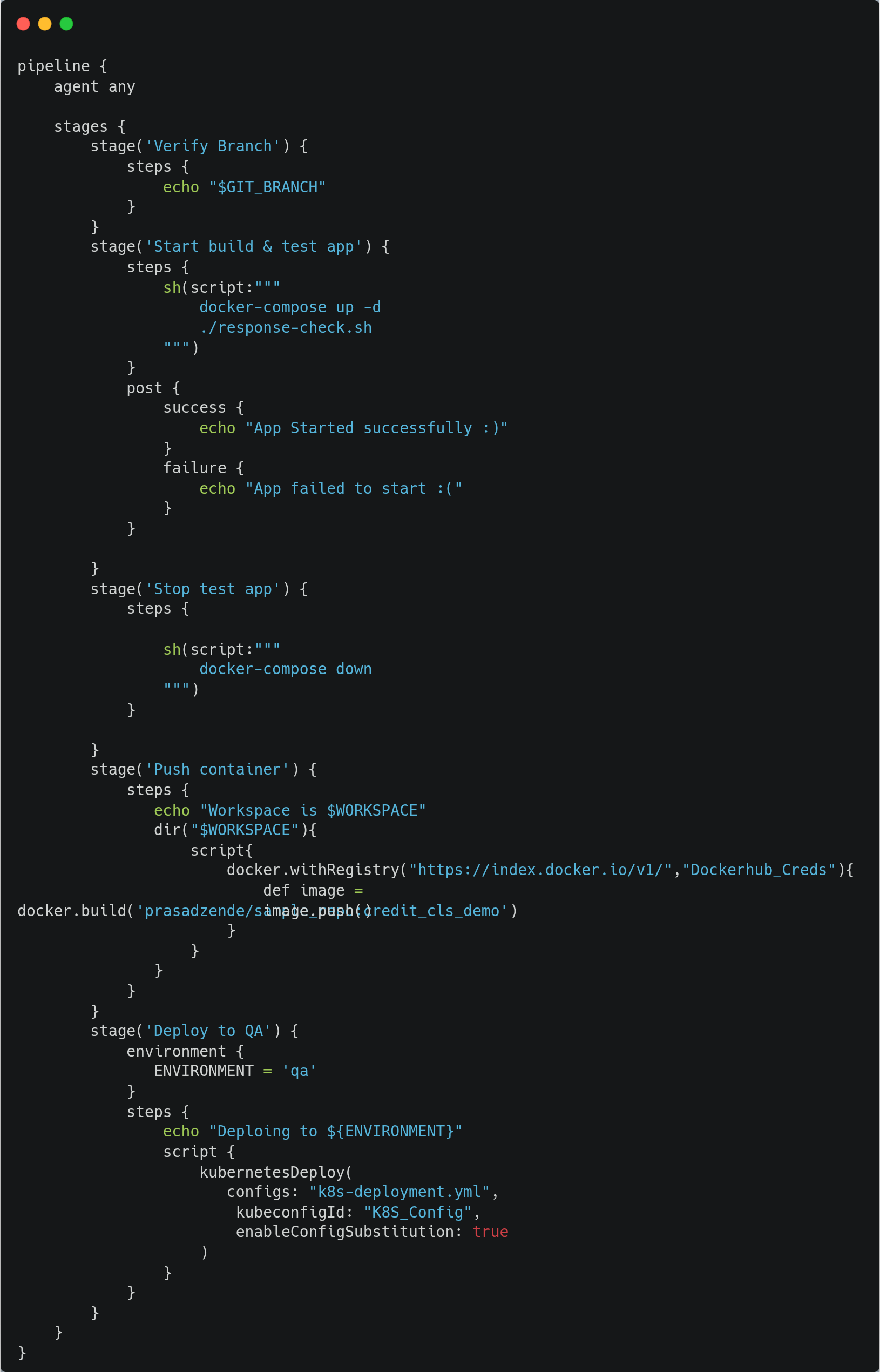
Now that we have built our model, let's create a CI/CD pipeline using Jenkins, which will clone the code from the Git repository, create the Docker image, push the Docker image to Docker Hub container registry and deploy the required Kubernetes components on AKS.

Inferencing
Let's get the external IP of the loadbalancer from the cluster and make a REST request to the model endpoint, which will return the response of a model output 0 or 1.


Endnotes
In this demonstration, we have built an ML lifecycle right from creating a project structure to model deployment on AKS. This use case can be extended with features like continuous training, data pre-post processing, validation, model monitoring and much more.
Thank you for reading..! 🙏
If you liked this use case, make sure to star the GitHub repo 😉
References
1] Who Needs MLOps: What Data Scientists Seek to Accomplish and How Can MLOps Help